Pocket Lab

Pocket Lab

Taking Codex on the go.

Year

2026

Role

Creative Technologist /Software Engineer

↓ Scroll to continue
0:000:00

Could I build a mobile app with nothing but a phone?

On a Google Pixel 10, I set up Termux as the terminal, ran Metro through Expo CLI, and previewed the app in Expo Go on the same device. Codex had no Android build, so I compiled it from the official source in Termux, working through a missing protoc binary and out-of-memory errors during a 203-minute build. One component depends on V8, which has no prebuilt version for Android, so I built that piece on a computer and brought it back.

With everything in place, I could describe changes to Codex by voice and watch the app update on the phone in my hand.

Tools & Software

TermuxReact NativeExpoTypeScriptNode.jsCodex CLI

Categories

Developer Tools
Origin

The Initial Idea

I just wanted to get away from my desk

One day, worn out from job applications, I couldn’t sit at my computer any longer. I picked up my phone and went for a walk. Somewhere along the way I started wondering: why does making things have to happen at a desk? Building apps and websites with AI was becoming routine, and the model work already runs in the cloud. Could the local side of the work (editing, running, testing) live on the phone instead? A lot of mobile experiences are websites made to feel like apps. But I was already holding a phone, the device people carry every day. Why not build a real mobile app on it? So I started brainstorming with ChatGPT: could I make a phone app using nothing but a phone?

Feasibility Hypothesis

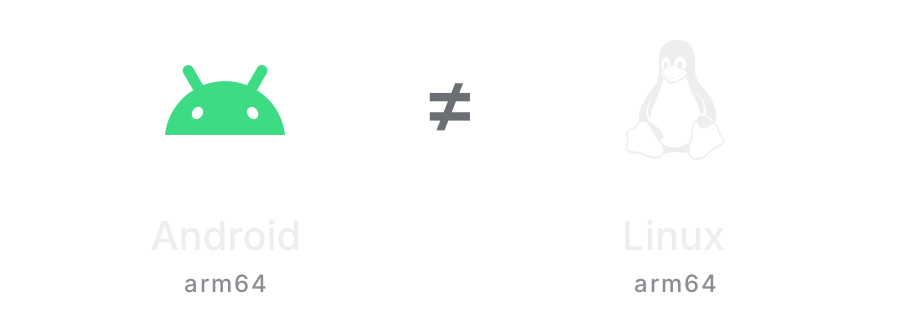
Android runs on Linux. So what about Codex?

On my Mac, I work in the Terminal with tools like Codex CLI. My first thought was simple: Codex supports Linux, and Android is built on the Linux kernel. Could it run on the phone itself, opening projects, editing code, maybe even compiling? It was a hypothesis, not a conclusion. Along the way I ran into the real differences between Android, Termux, and a typical Linux environment.

Android runs on Linux. So what about Codex?

Setup

Finding a Workspace

What is a terminal on a phone?

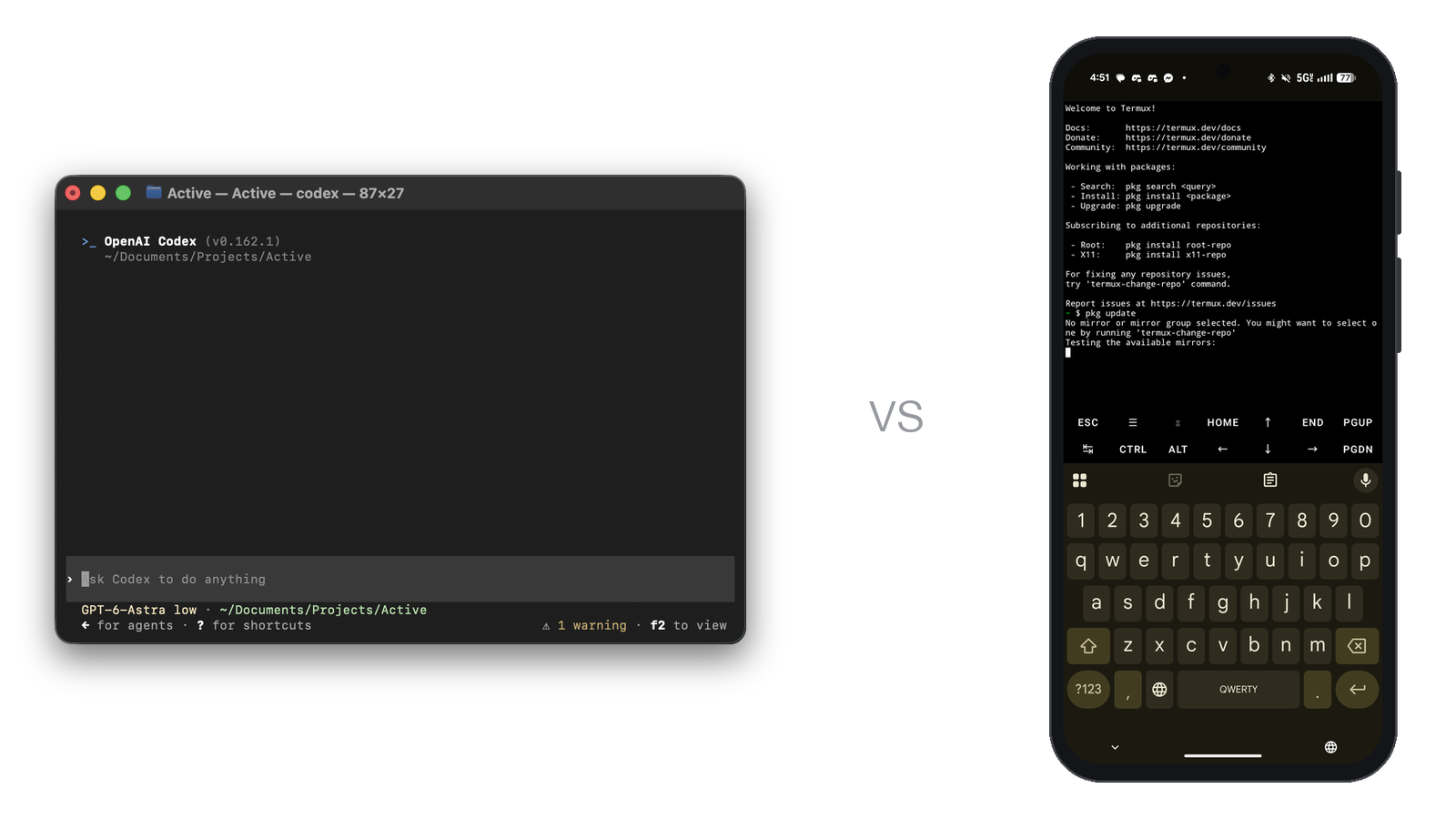
A computer has a terminal, so where would the phone’s workspace live? I found Termux, a terminal environment for Android where I could install development tools, use Git, manage project files, and run a local development server. It felt much closer to how I work on a computer: the project, the tools, and the running processes in one place.

What is a terminal on a phone?
Codex in the Mac Terminal vs. Termux on the phone

Wiring It Together

A development and test environment on one phone

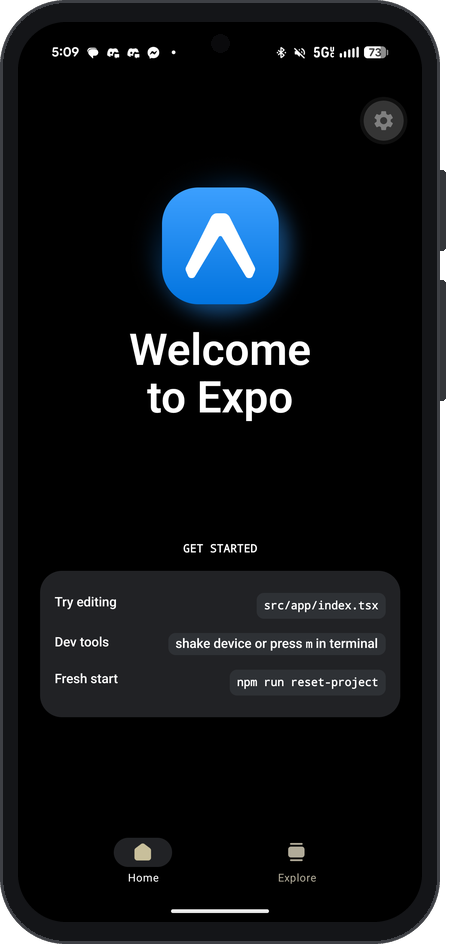
With a terminal in place, the next step was a way to develop and test an app on the same phone. I chose Expo: Expo CLI starts Metro, the development server, inside Termux, and Expo Go loads the project on the phone. Expo Go felt like a house that was already built. The structure is there, so I could focus on what goes inside instead of building and installing a new app every time. The development machine and the test device became the same phone.

How my usual computer workflow compares with the phone workflow
RoleOn a computerOn one phone
TerminalmacOS TerminalTermux
FrameworkReact with Next.js, for the webReact Native with Expo, for a native app
Dev serverNext.js dev serverMetro, started through Expo CLI
PreviewA web browser at localhostExpo Go on the same phone
AI codingCodex CLI, official Mac buildCodex CLI built from source for Android
A development and test environment on one phone
Expo Go loading the project from Metro on the same phone

Build

From React to React Native

The same thinking, a different interface

Most of my web work used React. To explore a native mobile app, I chose React Native: it keeps React’s components, state, and logic, while moving to native interface components and device capabilities. Expo Go is the app that previews the project; React Native is the framework that builds the native interface.

Comparison: selected React Native versus React (Web). A star marks the option that better fits a requirement; unmarked options are not preferred for that row. Select a category to expand the explanation.
Category
React NativePocket Lab’s choice
React (Web)
Native views on Android and iOS
HTML elements in the browser
Fast Refresh on the phone through Expo Go
Preview in a browser
Native modules and platform APIs
Browser APIs and permissions
Expo Go for this prototype; packaging for release
Open a web link
Reuse React concepts; learn native components
Reuse my web components and CSS
Native changes require a new app build
No native app binary for browser delivery

Compiling Codex on Android

No Android build, so I made one

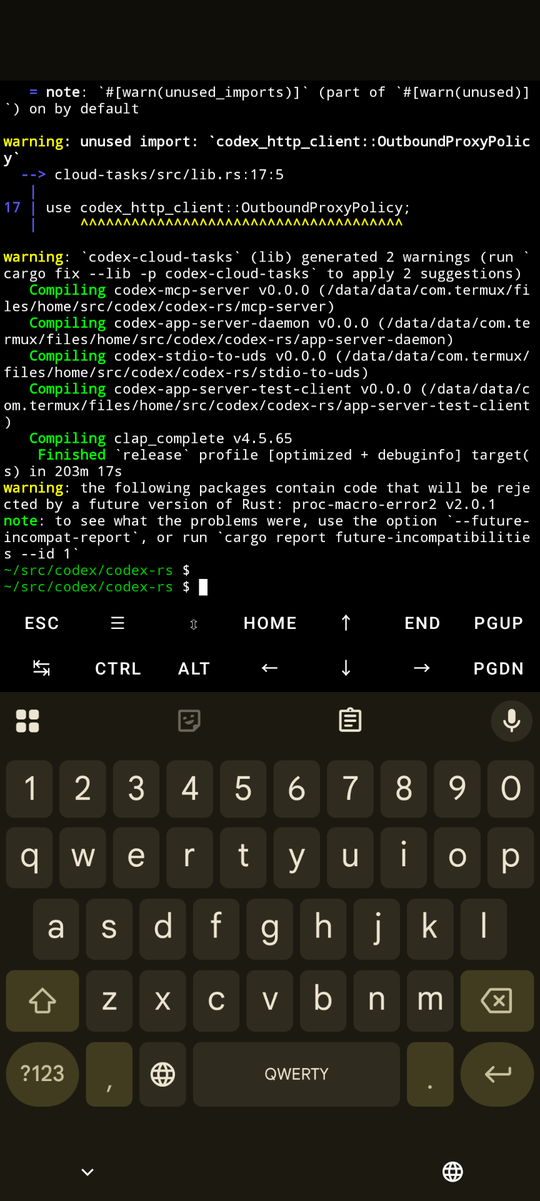
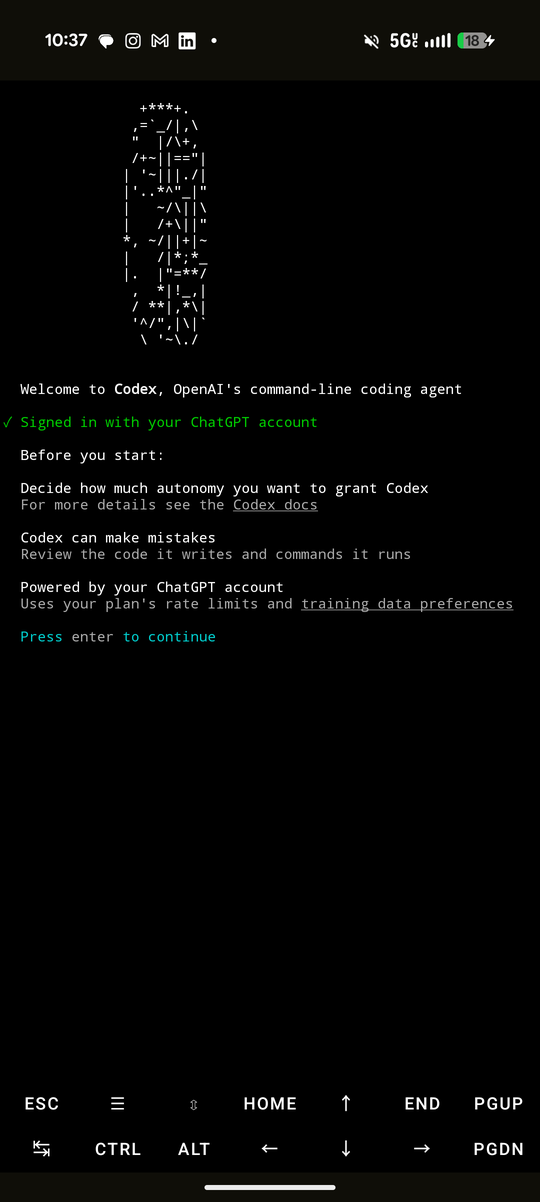
Codex had no ready-made build for Android, so I cloned the official source into Termux, installed a Rust toolchain, and started a release build on the phone. It stopped twice along the way: once on a build tool that had no Android version, and once when the phone ran out of memory. After fixing both, the build finished in 203 minutes and produced a 1.3 GB binary. Codex launched, and I signed in with ChatGPT. It still couldn’t edit files. The part that lets Codex make changes, codex-code-mode-host, depends on Google’s V8 engine, and there was no prebuilt V8 for Android. Compiling V8 from source on the phone wasn’t realistic, so I built that one piece on my computer for the Android target and copied it back. Only then could Codex actually work on a project from my phone.

Compiling Codex on the phone
Finished after 203 minutes
Signed in on the phone

Field Test

Walking Out Again

Building an app by walking

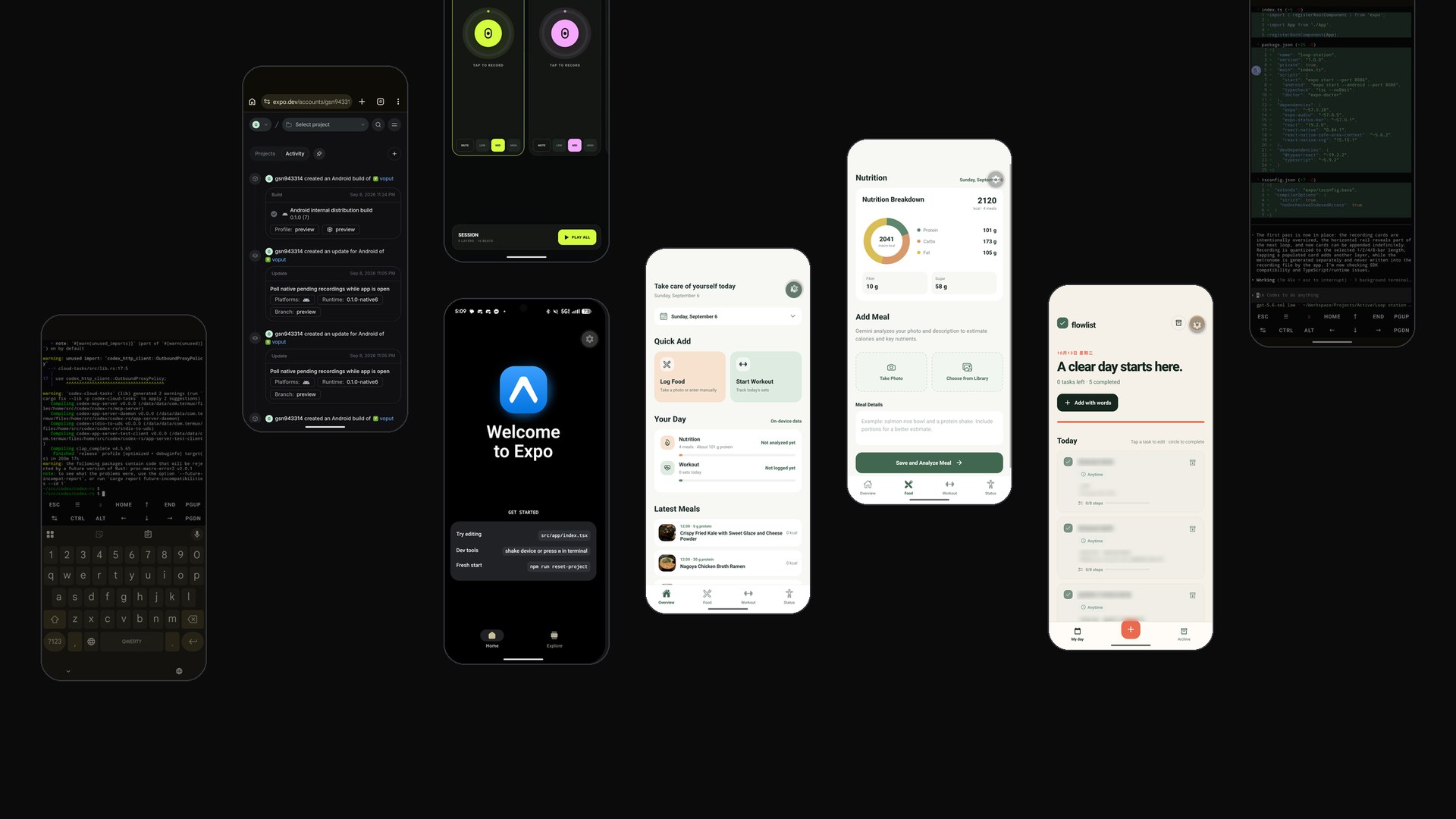
With the CLI ready, I went for another walk. This time I used voice input to talk to Codex in Termux, describing the app I wanted as I walked, discussing changes, and letting it build the idea step by step. Expo Go became the place to check the prototype and its interface. My first question was why I had to sit at a computer to start making something. This experiment gave me another answer: say the idea out loud, and watch it take shape on the device in my hand.

Codex building the app while I walked (sped up 9×)
Pocket Loop running in Expo Go

Where the House Ends

Expo Go’s limits, and EAS Build

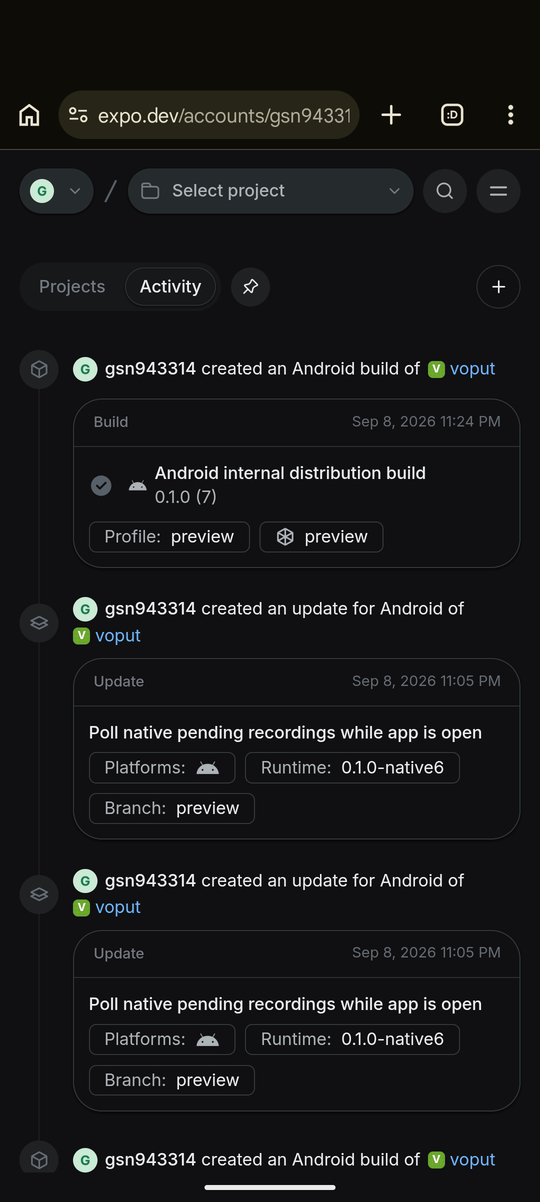
Once I started building real features, I reached the edges of the ready-made container. I wanted a button that floats above other Android apps, which needs native code and a system permission. Changing JavaScript inside Expo Go can’t add either one. For anything more native, the app has to be built with EAS Build, Expo’s online build service. The build runs on Expo’s servers instead of the phone and produces an Android app I can install. After that, JavaScript changes can be sent to the installed app as updates, without building it again.

EAS builds and updates for my app on expo.dev

Reflection

Closing Thoughts

Local on the phone, or inside the chat?

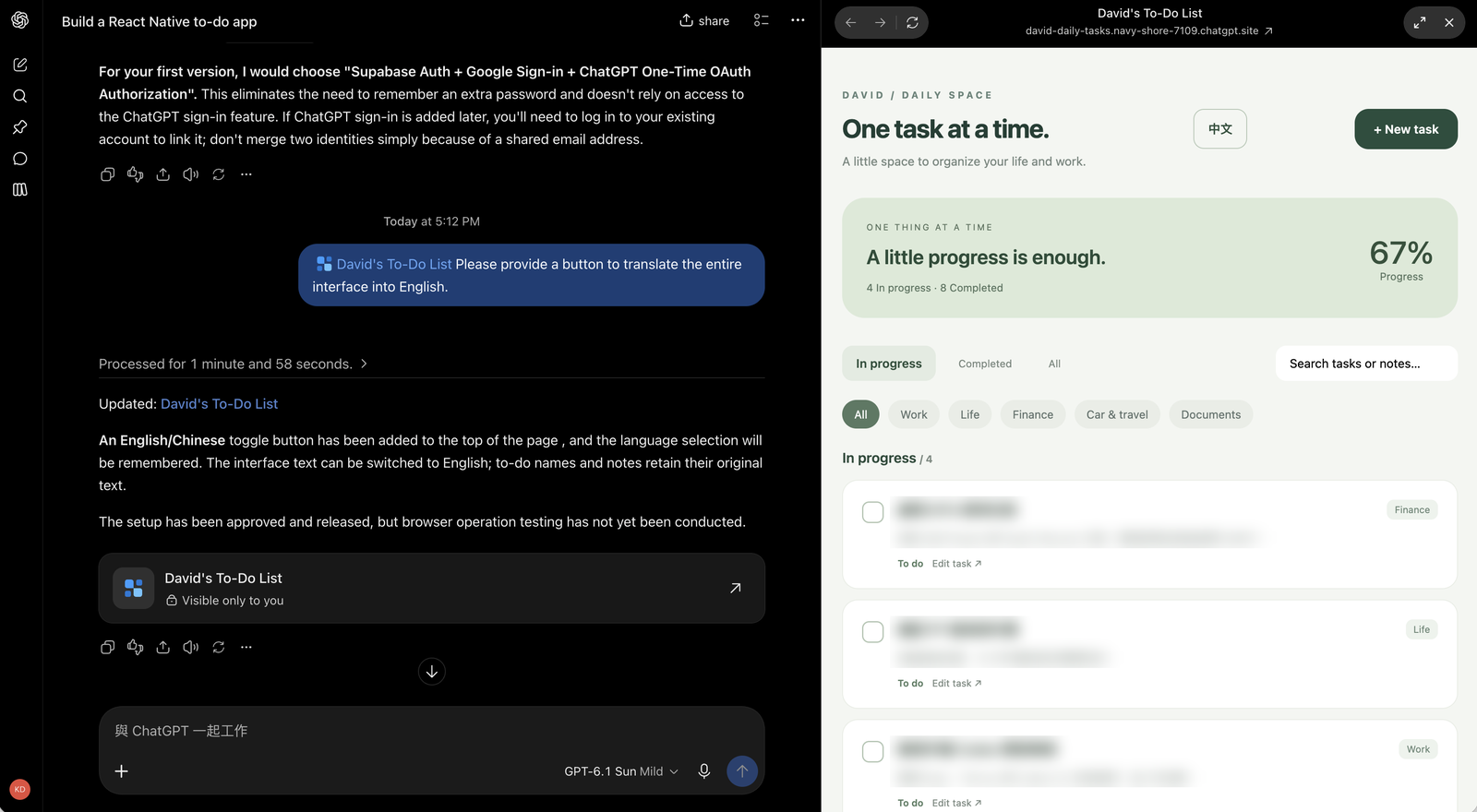
I did get the whole workflow running locally on one phone. But I’ve also been building apps inside ChatGPT, and I keep comparing the two. When I asked ChatGPT for a to-do app, it built the app right in the chat and hosted it at a chatgpt.site address, which seems to run on Cloudflare Workers. Because it can reach my account data, I can add a to-do, a language flashcard, or a reminder just by chatting. Building, using, and keeping track all happen in the same conversation, with nothing extra for me to wire up. So I’m weighing two directions: use only ChatGPT, or keep one shared database with a different interface on each side. That’s my next experiment. I want to see how well it works, whether it feels slow in daily use, and whether it can replace the local Expo Go workflow I built here.

Building on the phone with Pocket Lab vs. building inside ChatGPT
Pocket LabChatGPT app
Where I buildTermux and Codex CLI on the phoneA chat with ChatGPT
Where the app runsExpo Go, or an app built with EASA web page at a chatgpt.site address
SetupTermux, Node.js, Expo, and Codex compiled on the phoneNothing beyond ChatGPT
My dataI connect it myselfChatGPT can reach my account data
Adding a to-do or reminderOpen the app and type it inSay it in the chat
Where things liveCode in Termux, the app in Expo GoBuilding, using, and history in one conversation
Native featuresPossible through EAS BuildLimited to what a web page can do
Local on the phone, or inside the chat?
A to-do app ChatGPT built and hosts inside the chat

Keep exploring